Submitting an issue#
What is an issue?#
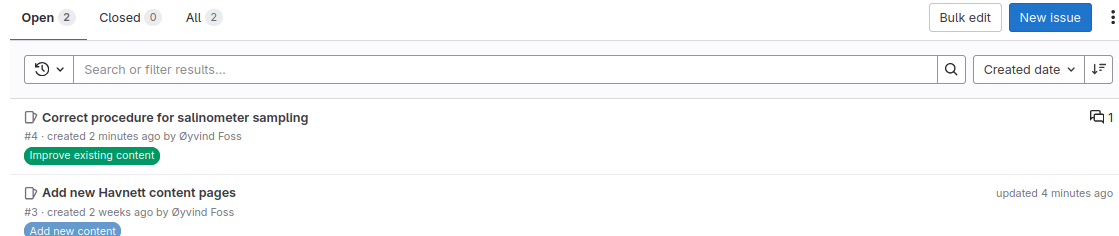
In Git world, an issue is an entry where users or developers raise problems, questions, report bugs, etc.
It is somewhat equivalent to a forum thread.
Example: issues under a GitLab repository
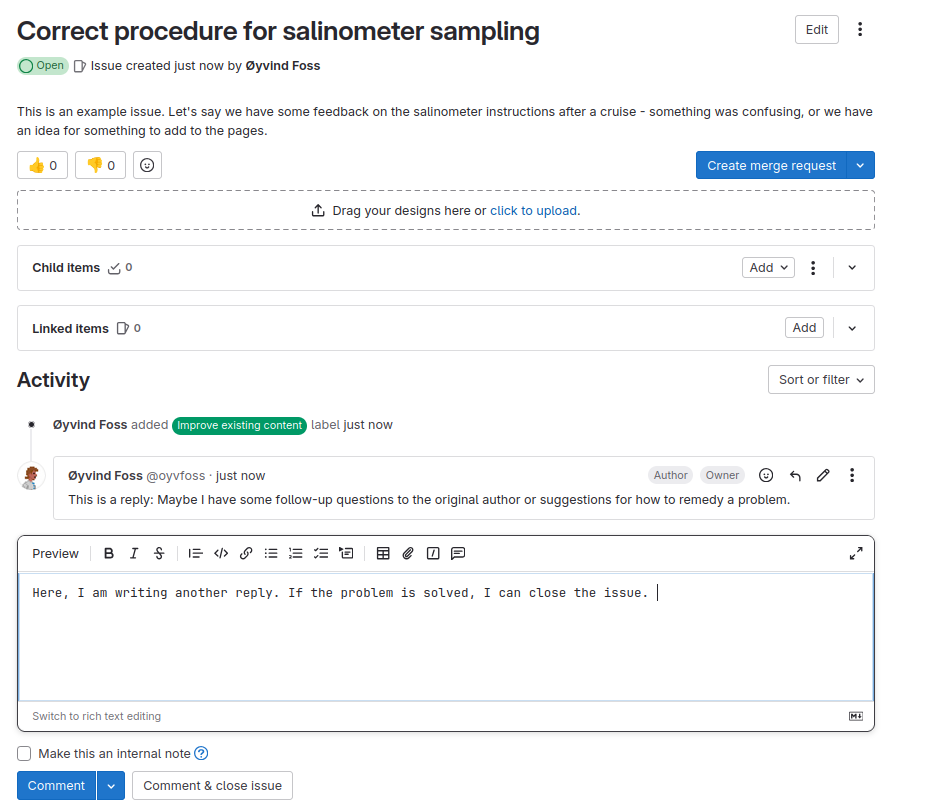
Example: a GitLab issue
Submitting an issue to the Havnett source repository#
Open a browser and navigate to Issues in the
Havnett SourceGitLab repository.You will have to log in with your NPI credentials (same username / password combination used to log in to NPI Windows computers).
Click on
New issue(blue box).Enter a title (e.g. “Error in CTD sampling instructions”, “Ideas for new data processing pages”, “Water sampling instructions render strangely”, “Some feedback after use in the field”..)
In the
Descriptionfield you can elaborate. What is the issue exactly? Do you have ideas or suggestions about what to do about it?The field supports markdown in case you would like to use headings, bold/italic fonts, etc.
Click
Previewabove the text box to see your description rendered in Markdown (this is also what it will look to others).
(Optional): In the
Labelfield, select one or more labels applying to the issue (Add new content,Report technical issues, etc.)(Optional): If you want to assign the issue to a specific person, you can select one or more people under
Assignee
Click
Create issue
Note
When an issue is submitted, it can be seen by all NPIOcean group members. Others can contribute the discussion by adding further comment below.
Note
When an issue has been resolved (typically: when a fix has been implemented in the source code), the issue is typically Closed by the initial poster or whoever implemented the change.